
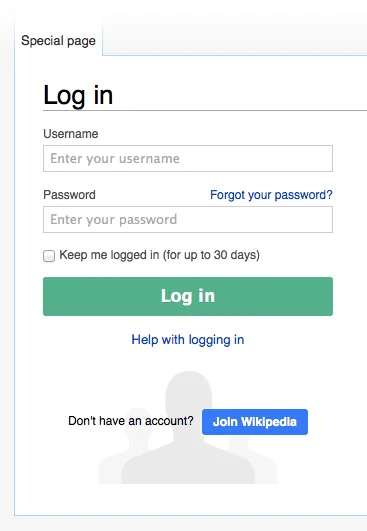
A polished logo, familiar sender name, and encrypted connection do not establish that a login page belongs to the service it imitates. The Federal Trade Commission warns that phishing messages try to make recipients click links or open attachments and surrender passwords or financial information. Modern scams may also arrive through search advertisements, QR codes, direct messages, calendar invitations, and compromised real accounts. The durable defense is procedural: stop before entering credentials, inspect what the request claims, reach the service through a route already known to be official, and treat any mismatch or unexpected recovery demand as a reason to end the session.
Read the request before evaluating its decoration
Identify the action demanded, the deadline, and the consequence described. Urgent billing failures, expiring documents, payroll changes, shared-file notices, and security alerts are common pretexts because they pressure a person to act before checking. Compare the message with what the service normally does. An unexpected attachment, a request to disable security, or instructions to keep a transaction secret are stronger signals than imperfect grammar. Well-written messages can still be malicious, and a legitimate organization can send an awkward notice.
Inspect the actual sender address and reply path, not only the display name. Email authentication indicators can help mail systems filter abuse but do not prove that the human request is appropriate; a real account may be compromised. Do not call a telephone number supplied only inside the suspicious message. For workplace requests involving money, credentials, or sensitive files, confirm through a separately known channel and follow the organization’s approval process.
Examine the destination without trusting a padlock
On a device that reveals it safely, preview the link destination without opening it. Identify the complete hostname separately from the scheme, path, user information and query. Determine its registered-domain boundary using the applicable public suffix; counting the last two labels is unreliable for suffixes such as co.uk. A familiar brand inside a subdomain or path does not establish the destination’s identity. Extra words at the beginning can imitate a brand while belonging to a different domain. Misspellings, lookalike characters, unexpected country domains, raw internet addresses, and URL shorteners reduce confidence. A long path after the domain can also create visual noise. Do not copy the link into an online “checker” if it may contain a private token.
HTTPS means the connection is encrypted to the site named in the certificate; it does not mean the site is honest. Attackers can obtain certificates for domains they control. QR codes hide their destination until scanned, so treat them as links and examine the decoded address before continuing. On a small screen where the address is truncated, use an independent route rather than trying to infer the missing part.
Navigate independently and use domain-aware autofill
Open the service from a saved bookmark created during a known-good session, a manually typed address, an official application, or a verified organization directory. Once signed in, look for the claimed invoice, document, alert, or account problem inside the service. If it does not appear, contact support through the address or number published on the official site. Search results require care because advertising and copied pages can appear around the legitimate result; a bookmark or official app is a stronger repeatable route.
A password manager that associates credentials with exact domains can add a useful signal. If it does not offer the expected login on a page, stop and examine the address instead of copying the password manually. This safeguard is not absolute: a person can override it, a legitimate service may use several domains, and compromised devices or extensions can interfere. Document unusual legitimate domains in the vault so future warnings retain their value.
Respond safely to an uncertain or completed action
If no credentials or files were submitted, close the page and report the message through the mail provider, service, employer, or relevant fraud authority. Preserve headers or the original message when an investigator requests them; forwarding can alter evidence. Do not repeatedly open the link to collect proof. Warn affected colleagues through a trusted channel if the message came from a compromised shared account, but avoid redistributing the active link more widely.
If a password was entered, navigate independently to the real service, change the password from a trusted updated device, end other sessions, and review account recovery details and recent activity. Change any other account that reused the same secret. If a one-time code, approval prompt, financial information, or remote-control access was provided, contact the relevant service or financial institution immediately through its official route. Report workplace incidents promptly; delay can give an attacker time to use mailbox rules or trusted conversations.
Know what this check can and cannot establish
A correct domain does not make every page or request safe. The genuine site may be compromised, a deceptive consent screen may authorize a malicious application, or fraud may occur after a legitimate sign-in. Internationalized domain names and mobile interfaces can also make visual inspection difficult. Security software and browser warnings add layers, but absence of a warning is not approval. High-impact actions still need transaction details, independent confirmation, and appropriate authorization.
The responsible conclusion is specific: the request was or was not found through an independently verified account route; the destination did or did not match the documented service domain; and any submitted secrets were handled through an incident process.
A login decision checklist
Use this sequence for an unexpected account notice. It checks the request and the action; hostname reading alone cannot approve a transaction.
| Stage | Action | Stop condition |
|---|---|---|
| Before opening | Identify the requested action and urgency | An unfamiliar attachment, secret request or instruction to bypass security |
| Independent route | Use the known official app, saved route or verified directory | The route cannot be established independently |
| Inside the service | Look for the claimed alert or invoice | No matching event: contact support through the official route |
| Before approving | Check destination, data and requested authority | The signed-in screen asks for an unrelated or unexplained action |
| If a secret was submitted | Use the trusted incident route, end affected sessions and review recovery | Do not keep investigating through the suspicious link |
Select or copy plain text
Stage	Action	Stop condition
Before opening	Identify the requested action and urgency	An unfamiliar attachment, secret request or instruction to bypass security
Independent route	Use the known official app, saved route or verified directory	The route cannot be established independently
Inside the service	Look for the claimed alert or invoice	No matching event: contact support through the official route
Before approving	Check destination, data and requested authority	The signed-in screen asks for an unrelated or unexplained action
If a secret was submitted	Use the trusted incident route, end affected sessions and review recovery	Do not keep investigating through the suspicious link
REFERENCES
Sources and further reading
- 01NCSC: Phishing
- 02Public Suffix List: Learn more
- 03NIST SP 800-63B-4: Authentication and Authenticator Management
- 04FTC: How To Recognize and Avoid Phishing Scams
Sources reviewed October 20, 2026. Provider instructions and product terms can change. Examples identified as fictional are editorial illustrations, not reported events or product tests.