
A popular rule says that a repair costing more than half the price of a new device is not worthwhile. It is convenient, but it ignores time. An inexpensive repair that extends life by three unreliable months may be poor value. A more expensive battery or display replacement that adds two stable years may be excellent value. The decision depends on whether the fault is isolated, whether security support will continue, whether the repaired device still meets its core job, and what replacement would cost after migration, accessories, software, and learning are included.
Price percentage leaves out the future
A repair quote is not directly comparable with a retail price. Replacement may require new adapters, cases, docks, licenses, and several hours of data migration and configuration. Familiarity has value as well: a known keyboard, calibrated display, or specialized application setup can make an older device productive. On the other side, a cheap component repair does not rescue a machine with several intermittent faults or a platform approaching the end of security updates.
Distinguish a consumable or isolated failure from a systemic one. Batteries, fans, storage, keyboards, and ports are sometimes replaceable with a predictable result. Liquid damage, corrosion, warped structures, and repeated power faults create wider uncertainty. Ask whether the proposed repair addresses the diagnosed cause or merely one visible symptom. A written quote should identify parts, labor, warranty, expected turnaround, and what happens if additional damage is discovered.
Build a remaining-value estimate
List the repair price, conservative months of added life, chance of another major failure, downtime, and data-handling requirements. Add any transport or loan-device cost. For replacement, include the full usable configuration, necessary accessories, software, migration time, and the value of improved capability. Compare monthly cost across a conservative period rather than comparing two initial prices. The estimate will not be perfectly precise, but it exposes assumptions that a percentage rule hides.
Software support is part of the remaining life. A device used only for offline playback or a dedicated display may tolerate limited updates if isolated appropriately. A device used for banking, business accounts, private documents, or customer work has a much harder security requirement. Check the manufacturer’s published operating-system and security-support information, and consider whether critical applications still support the platform. Hardware that works but cannot safely perform its assigned role has lost relevant value.
Decision matrix: isolated battery wear versus wider faults
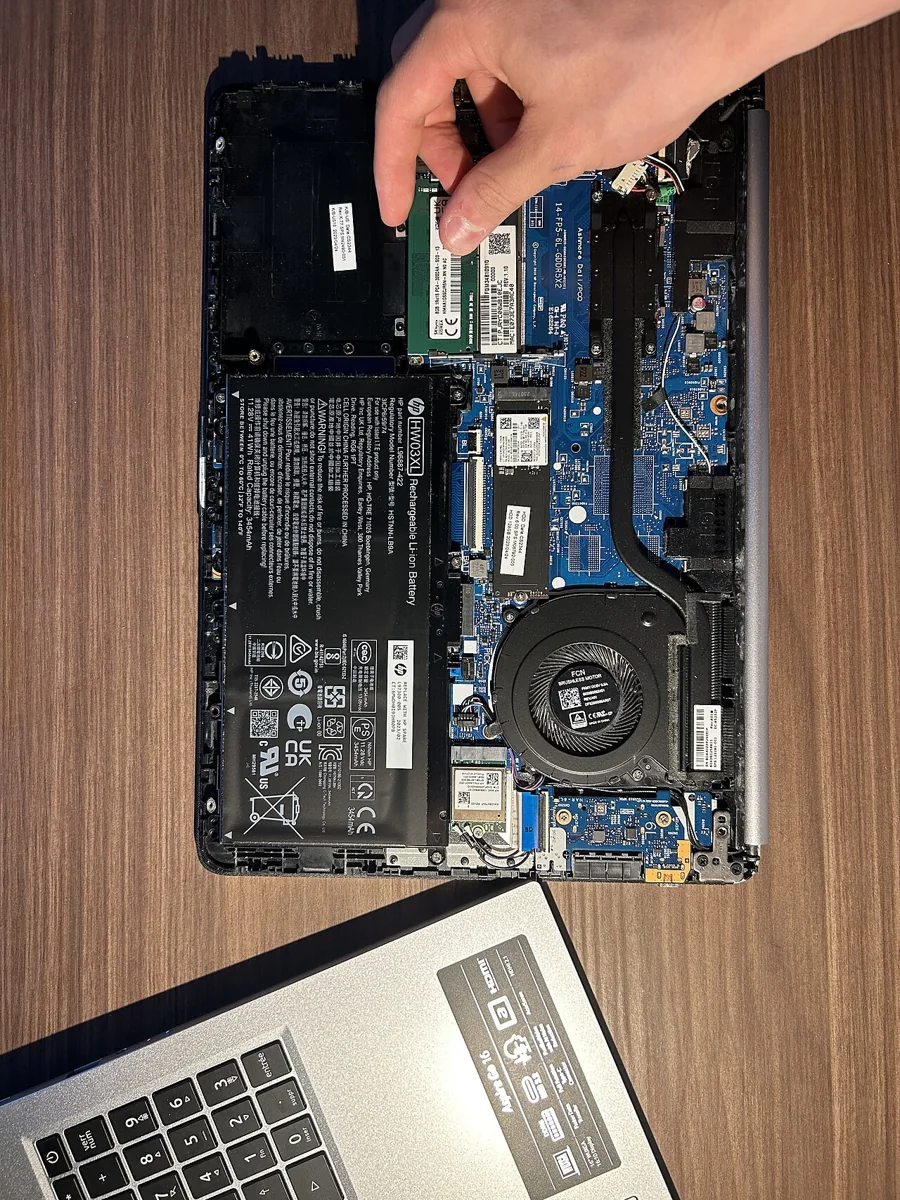
Begin by recording whether the laptop still handles the required work, receives security updates, and shows faults in the screen, keyboard, ports, storage, or power system. Obtain a written battery-replacement quote from a qualified provider, including part identity, service warranty, turnaround time, and total price. Compare that verified quote with current replacement options instead of relying on a universal percentage or an assumed resale value.
A repair is easier to justify when it targets a clear, isolated, measurable problem. Record runtime before service and repeat the same workload afterward. Random shutdowns, several failed ports, liquid damage, or unsupported software widen the fault scope; a new battery may improve runtime without restoring reliability. These conditions deserve a larger uncertainty allowance, deeper diagnosis, or replacement analysis. The relevant distinction is documented fault scope, not device age alone.
A careful decision sequence
Back up the device completely and test a restoration before handing it to anyone. Obtain a written diagnosis and at least one detailed quote. Ask whether the part is original, refurbished, or third-party; what warranty applies; whether water resistance or structural protection changes; and how data is handled. Check support dates and local availability of future parts. If the device contains sensitive information, use full-disk encryption, shut it down, and follow organizational service requirements.
Estimate cost per conservative month of added service and compare it with the complete replacement cost. Decide what evidence would make the repair unsuccessful: continued shutdowns, runtime below a target, or a recurring fault within the warranty period. If replacing, migrate accounts and multi-factor authentication before erasing the old device. Verify the erase, then reuse, donate, trade in, or recycle through a responsible channel. Do not let an unexamined drive leave your control.
Risks, limits, and the decision rule
Diagnosis contains uncertainty, and opening a device can reveal additional damage. Third-party part quality varies. Repair may affect an existing warranty, water resistance, calibration, or future trade-in value. Swollen or damaged batteries require trained handling. Market prices and consumer rights vary by region, so generic guidance cannot determine a particular warranty claim. Environmental benefit also depends on the part, shipping, energy mix, and how long the repair actually extends use.
A defensible conclusion is testable: prioritize repair when the fault is isolated, the support horizon is sufficient, the repaired device will meet core tasks, and the conservative cost per added month is attractive. Raise the replacement score when failures are interacting, diagnosis is vague, security support is ending, or downtime has a high consequence. The best decision is not “always repair” or “always upgrade.” It is the option that buys the most reliable, supported service with the least hidden cost.
REFERENCES
Sources and further reading
Sources reviewed October 20, 2026. Provider instructions and product terms can change. Examples identified as fictional are editorial illustrations, not reported events or product tests.